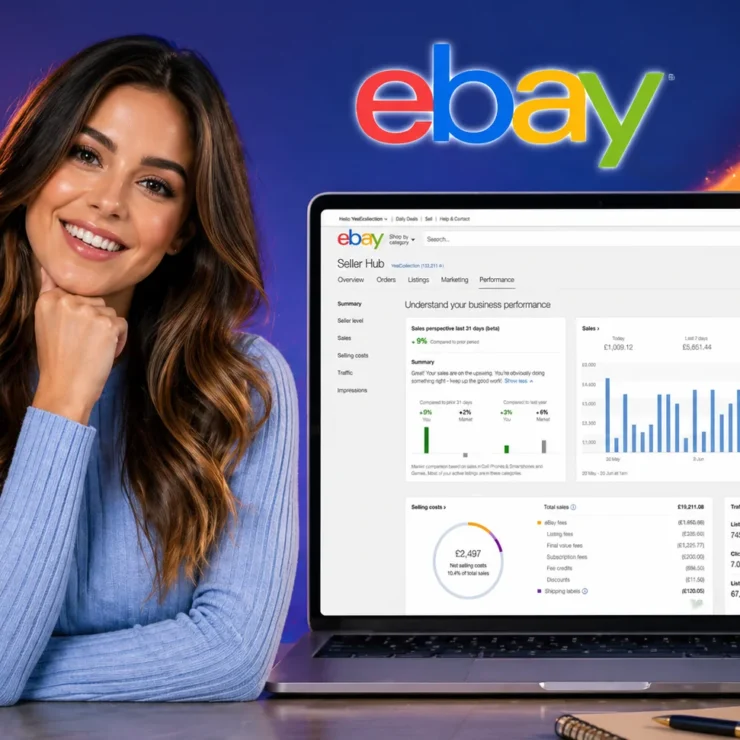


The eBay seller dashboard is Seller Hub, a free tool with 10 tabs covering orders, listings, ads, payouts, and seller-level metrics. Open Performance first: eBay grades you on the 20th of each month, and Top Rated status needs a 0.5% defect rate plus 100 transactions and $1,000 in US sales.
🔑 Key Takeaways
- "eBay seller dashboard" is a search phrase, not an official product name. eBay calls it Seller Hub, and it is free once your account has at least one sale.
- Seller Hub has 10 tabs and a customizable Overview with 15 modules. The Performance, Payments, and Reports tabs do more for your decisions than the Overview does.
- eBay evaluates your seller level on the 20th of every month, using 3 months of data if you have more than 400 transactions and 12 months if you have fewer.
- Top Rated needs a defect rate of 0.5% or lower, 95% on-time tracking, and at least 100 transactions and $1,000 in sales with US buyers over 12 months.
- The dashboard shows sales and selling costs but not your cost of goods, so it can't tell you true profit on its own.
- For dropshippers, the metrics that matter are handling time, tracking validation, and cases, because they depend on a supplier you don't control.
📋 Table of Contents
- What Is the eBay Seller Dashboard, and Is It the Same as Seller Hub?
- How Do You Open the eBay Seller Dashboard?
- What Does Each of the 10 Seller Hub Tabs Do?
- Which Tab Should You Open First?
- How Does the Dashboard Calculate Your Seller Level?
- Does the eBay Seller Dashboard Show Your Real Profit?
- What Weekly Routine Keeps Your Dashboard Healthy?
- Does the Dashboard Work for Dropshippers?
- When Should You Hand the Dashboard to a Team?
- Frequently Asked Questions
The eBay seller dashboard is the control panel every eBay seller uses to run orders, listings, ads, payouts, and account health from one screen. I spent time inside it with eBay's own help pages open beside it, and one thing stood out: most guides describe the buttons, but few explain which numbers actually decide whether your account grows or gets restricted. This guide covers both, with the figures taken from eBay's current policy pages.
Here is the short version before we go deeper. Check Performance weekly, reconcile Payments before you trust any profit number, and treat the Overview as a to-do list rather than a report. Everything below explains why.
What Is the eBay Seller Dashboard, and Is It the Same as Seller Hub?
Yes, the eBay seller dashboard and Seller Hub are the same thing: "dashboard" is the phrase sellers search for, while Seller Hub is the name eBay uses. eBay describes it as a free tool that consolidates its selling tools in one place.
The naming matters because it explains why the same page shows up under three labels. You will see "Seller Hub" in eBay's help pages, "Overview" as the landing tab inside it, and "My eBay Selling" for the older view you can still switch back to. They all describe pieces of one system.
If you want a deeper tab-by-tab reference after this guide, our full walkthrough of the eBay Seller Hub covers the interface in more detail. This article focuses on a different question: how to read the numbers and decide what to do with them.
How Do You Open the eBay Seller Dashboard?
You open it from the Selling link in My eBay or through the direct Seller Hub link, and eBay says you need at least one sale on the account first. If you haven't sold anything yet, you'll see the older selling page instead.
- Sign in to your eBay account on a desktop browser.
- Select My eBay, then Selling, and opt in to Seller Hub if eBay prompts you.
- Land on the Overview tab, which holds 15 customizable modules.
- Use the tab bar to move between Orders, Listings, Marketing, Performance, and the rest.
- Switch back to My eBay Selling at any time if you prefer the old layout.
The mobile app works, but it is a subset. eBay caps saved drafts or scheduled listings at 250 in the app versus 5,000 on desktop, which is why I do any bulk work on a computer.
What Does Each of the 10 Seller Hub Tabs Do?
Seller Hub has ten tabs: Overview, Orders, Listings, Marketing, Advertising, Store, Performance, Payments, Research, and Reports. Each one covers a separate job, and the table below shows what it does and how often I'd open it.
| Tab | What it does | How often to check |
|---|---|---|
| Overview | Customizable dashboard with 15 modules, including tasks and sales summaries | Daily, briefly |
| Orders | Filter orders, print labels, upload tracking, handle returns and cancellations | Daily |
| Listings | Create, edit, and bulk-update listings; manage drafts, templates, and business policies | Weekly |
| Marketing | Discounts, sale events, and buyer groups | When running a promotion |
| Advertising | Three campaign types, including Promoted Listings and Promote offsite | Weekly once ads are live |
| Store | Manage a Store subscription, categories, and layout (needs a Store) | Monthly |
| Performance | Seller level, sales and traffic reports, service metrics vs. similar sellers | Weekly |
| Payments | Payouts, transactions, and tax documents | Weekly |
| Research | Product research (3 years of sales data); Sourcing Insights for qualifying Stores | Before every sourcing decision |
| Reports | CSV and XLSX uploads and downloads; automated reports | Monthly, for bookkeeping |
Two tabs deserve extra attention. Orders is where most day-to-day risk lives, because a missed tracking upload becomes a metric. If you need to review past sales there too, our guide on how to see sold items on eBay shows where those records sit.
Listings is where you apply the business policies that govern shipping, returns, and payment across every listing. Setting those once saves hours, and our breakdown of eBay business policies walks through how to build them.
Research is the tab most new sellers skip. It opens eBay's Terapeak data, which lets you check what a product has really sold for before you buy stock. We cover how to use it in our eBay Terapeak guide, and I'd run a search there before committing money to any new product.
Which Tab Should You Open First?
Open Performance first, specifically the service metrics, because that is the tab that predicts whether eBay will limit your account. The Overview feels like the right starting point, but it mostly lists tasks.
Here is the contrarian part. Most guides tell you to start at the Overview and work outward. I do the opposite, because eBay acts on your metrics once a month, and a problem you spot on the 5th is fixable while one you spot on the 21st is already graded.
Treat the 20th of each month as your deadline, not the 1st. eBay evaluates seller level on the 20th, so I review Performance around the 12th to 15th. That leaves a week to answer open cases, upload missing tracking, and resolve buyer complaints before the grade is set.
The stakes are concrete. According to eBay's seller standards policy, a Below Standard evaluation can lower your Best Match placement, block you from Promoted Listings, and trigger possible fund holds right after the evaluation. Higher final value fees can follow from the 1st of the next month.
How Does the Dashboard Calculate Your Seller Level?
The dashboard sorts you into Top Rated, Above Standard, or Below Standard based on defects, cases, shipping, and tracking, evaluated on the 20th of each month. If you had more than 400 transactions in the past 3 months, eBay uses that 3-month window; with fewer, it uses the last 12 months.
Here are the figures from eBay's current seller standards policy for US sellers:
| Measure | Minimum standard (avoid Below Standard) | Top Rated requirement |
|---|---|---|
| Transaction defect rate | Up to 2%; counts only if tied to more than 4 different buyers | No more than 0.5%, tied to no more than 3 different buyers |
| Cases closed without seller resolution | 2 cases or 0.3% of transactions, whichever is higher | 2 cases or 0.3%, whichever is higher |
| Late shipment rate | No minimum; a high rate alone won't make you Below Standard | No more than 5, or 3% of transactions |
| Tracking uploaded on time | Not a Below Standard test | At least 95%, within handling time and carrier-validated |
| Selling history | None | 90 days active; 100 transactions and $1,000 in sales with US buyers in 12 months |
Top Rated is worth chasing once the basics are stable. Meeting the criteria upgrades you automatically on the 1st of the following month, and our guide on how to become an eBay Top Rated seller lays out the steps in order.
Defects are the metric most sellers fear. If a buyer complaint is hurting your rate, our walkthrough on how to remove negative feedback on eBay explains which cases you can actually contest.
Tired of Watching Metrics Every Month?
Stores Automation runs done-for-you eBay stores where the daily work behind these numbers, including order processing, supplier coordination, customer support, and returns, is handled by a team instead of by you. You provide the inventory capital and skip living inside the dashboard.
- Fully managed eBay store setup and day-to-day operations
- Order processing and supplier coordination handled for you
- Customer support, returns, and store performance monitoring included
Does the eBay Seller Dashboard Show Your Real Profit?
No. The dashboard shows what you sold and what eBay charged, but it has no field for what you paid for the item, so you have to add that cost yourself. Sales, fees, and payouts are visible; margin is not.
Here is the worked example I use. Say a buyer pays $50 total for an item at a 13.6% final value fee, which is the standard rate in most categories, plus a $0.40 per-order fee on orders above $10. Fees come to $7.20.
- What the dashboard shows: $50.00 sale, $7.20 in eBay fees.
- What it doesn't show: the $28.00 you paid your supplier and the $6.00 shipping label, if you bought it elsewhere.
- Your real profit: $50.00 − $7.20 − $28.00 − $6.00 = $8.80, a 17.6% margin, not the 85.6% that "sales minus fees" suggests.
That gap is the tradeoff most dashboard guides skip. The Payments tab is excellent for reconciling payouts, but it can't see your supplier invoices, so I export transactions from Reports each month and add the cost column in a spreadsheet.
Does an eBay Store subscription change what the dashboard gives you?
Yes, a Store subscription changes your fee rates and listing allowances, and it unlocks the Store tab and Sourcing Insights. Seller Hub itself stays free either way. These are eBay's current Store tiers:
| Tier | Monthly renewal | Yearly renewal (per month) | Free fixed-price listings | Final value fee (most categories) |
|---|---|---|---|---|
| Starter | $7.95 | $4.95 | 250 | 13.6% up to $7,500 |
| Basic | $27.95 | $21.95 | 1,000 | 12.7% up to $2,500 |
| Premium | $74.95 | $59.95 | 10,000 | 12.7% up to $2,500 |
| Anchor | $349.95 | $299.95 | 25,000 | 12.7% up to $2,500 |
| Enterprise | Not currently available | $2,999.95 | 100,000 | 12.7% up to $2,500 |
Prices come from eBay's store selling fees page. Category-specific rates differ, and Starter includes 250 free listings per month, then a $0.30 insertion fee on each one after that. Sourcing Insights needs a Basic Store or higher.
What Weekly Routine Keeps Your Dashboard Healthy?
A 30-minute weekly routine covers it: check Orders for stuck shipments, scan Performance, reconcile Payments, review Listings, and then look at ads. Doing the steps in that order stops you from spending on ads while a metric is slipping.
- Orders (5 minutes): clear anything awaiting shipment and confirm tracking is uploaded within your handling time.
- Performance (5 minutes): read service metrics against similar sellers and note any open cases.
- Payments (5 minutes): match payouts to the orders behind them and flag holds.
- Listings (10 minutes): fix titles and item specifics on your slowest sellers. Our eBay SEO guide shows what search rewards.
- Advertising and Marketing (5 minutes): only after the first four look clean, set up promotions. For the bigger picture, see our tips to increase sales on eBay.
I put ads last on purpose. A Below Standard evaluation blocks you from Promoted Listings anyway, so spending effort there before fixing service metrics can be wasted.
Does the eBay Seller Dashboard Work for Dropshippers?
Yes, it works for dropshippers, but it measures your supplier's behavior as much as your own. Every late label or missed scan lands on your account, and the dashboard can't see the stock levels or prices on your supplier's side.
Dropshipping adds a layer of risk because the metrics eBay grades depend on a third party. This table maps each one to what usually causes it:
| Dashboard metric | Typical dropshipping cause | What to do |
|---|---|---|
| Late shipment rate | Supplier takes longer than your handling time | Set handling time to what the supplier really delivers |
| On-time tracking | Tracking arrives after the handling window | Automate tracking upload as soon as a label exists |
| Cases closed without resolution | Item not as described or never arrived | Respond inside the case and offer refunds early |
| Transaction defects | Cancellations after a sale due to stock-outs | Sync stock and keep a buffer on fast sellers |
Handling time is the lever you control. If you're unsure what eBay expects, our explainer on how long eBay sellers have to ship covers the rules.
Case outcomes follow eBay's buyer protection rules, so it helps to know the standards you're held to. Our guide to the eBay Money Back Guarantee policy explains how disputes are decided.
Stock-outs are the part the dashboard can't solve. Seller Hub doesn't see supplier inventory, which is why most dropshippers add eBay dropshipping software to sync stock and orders.
Supplier choice matters just as much as software. Our list of eBay dropshipping suppliers is a good place to vet options before you commit.
A cheaper supplier with slow shipping can cost you more than it saves. If slow tracking pushes you past the Top Rated late shipment limit (more than 5 orders or 3% of transactions), you can lose Top Rated status and its 10% fee discount, which on thin margins is worth more than a lower unit cost.
When Should You Hand the Dashboard to a Team?
Hand it off when maintaining your seller level takes more hours than growing the store, or when fulfillment delays keep pulling your metrics down. If you're checking tracking and answering cases daily, the dashboard has become your job.
These are the signs I'd watch for:
- You open Seller Hub mostly to fix problems, not to plan growth.
- Your late shipments or cases keep creeping up even though your listings are sound.
- Research and sourcing keep slipping because order handling eats the week.
- You're scaling past what one person can monitor without missing the 20th-of-the-month deadline.
Let a Team Run the Dashboard While You Own the Store
Stores Automation builds and manages eBay stores for you. The team handles product sourcing and listings, inventory management, order processing, pricing, customer support, returns, and store performance monitoring. You apply, make a one-time upfront payment for setup, and provide the capital for inventory.
- Product sourcing and optimized listings done for you
- Orders, supplier coordination, and returns handled by the team
- Sales, conversion, and feedback tracked on your behalf
Frequently Asked Questions
What is the eBay seller dashboard called? +
The eBay seller dashboard is called Seller Hub. eBay describes it as a free tool that brings its selling tools into one place, with ten tabs from Overview to Reports. The older view is called My eBay Selling, and you can switch back to it at any time.
Is eBay Seller Hub free to use? +
Yes, Seller Hub is free. eBay states this on its own Seller Hub page. Some features need a Store subscription, such as the Store tab and Sourcing Insights, which requires a Basic Store or higher. Standard selling fees still apply to your sales.
How do I get to my eBay seller dashboard? +
Sign in on a desktop browser, go to My eBay, and select Selling to open Seller Hub. You can also use the direct Seller Hub link. eBay says you need at least one sale on the account, so brand-new sellers may see the older selling page first.
How often does eBay update my seller level? +
eBay evaluates seller level on the 20th of each month. If you had more than 400 transactions in the past 3 months, it uses that 3-month window; otherwise it uses the last 12 months. Top Rated upgrades take effect on the 1st of the following month when all criteria are met.
What is a good transaction defect rate on eBay? +
For Top Rated status, eBay requires a defect rate of no more than 0.5%, tied to no more than 3 different buyers. The minimum standard allows up to 2%, and it only counts against you if the defects involve more than 4 different buyers. Lower is safer because it also protects your fee discount.
Can I manage my eBay seller dashboard from my phone? +
Yes, but the mobile app offers a subset of the desktop features. For example, eBay limits saved drafts or scheduled listings to 250 in the app versus 5,000 on desktop. I use the app for order alerts and quick replies, and a computer for bulk edits and reports.
Does the eBay seller dashboard show my profit? +
No, it shows sales, fees, and payouts, but it doesn't know what you paid for the item. To get real profit, export your transactions from the Reports tab and add your cost of goods and shipping costs in a spreadsheet. Then compare the result against the Payments tab.
Can I run an eBay dropshipping business using only Seller Hub? +
You can list and fulfill orders with Seller Hub alone, but it can't see your supplier's stock or prices. Most dropshippers add stock-sync software or hire a managed service so cancellations and late tracking don't damage their metrics.
- Best eBay Product Research Tools
- eBay Keywords: How to Find the Ones Buyers Search
- eBay Feedback Examples for Buyers and Sellers
- eBay VeRO Program Explained
- eBay Authenticity Guarantee
- eBay International Shipping Program
- eBay Dropshipping in the UK
- UK Dropshipping Suppliers
- eBay Arbitrage
- Best-Selling Items on eBay UK
- Best-Selling Items on eBay Canada
- eBay Partner Network Guide
The Bottom Line on the eBay Seller Dashboard
The eBay seller dashboard is Seller Hub, and its most valuable tabs are the least glamorous ones: Performance, Payments, and Reports. Check them before the 20th of each month, confirm every threshold on eBay's own policy page, and add your cost of goods yourself, because the dashboard won't.
If you'd rather spend your time on growth than on tracking uploads and case deadlines, a managed setup can take the daily upkeep off your plate. Either way, now you know which numbers eBay is actually watching.
Want an eBay Store That Runs Without the Daily Dashboard Work?
Stores Automation sets up and manages your eBay store end to end, from sourcing and listings to order processing, customer support, and returns, so you can focus on the business instead of the metrics. Apply to see how the done-for-you model fits your budget and goals.
- Done-for-you eBay store setup and management
- Inventory, orders, and customer questions handled by a team
- Performance monitoring built into the service
Contact Us for Tailored Solutions – Stores Automation:
Ready to transform your Ebay store and achieve big wins? Contact us at Stores Automation for personalized solutions that leverage the power of automation for your business. Reach out to us at 302-204-8244 or via email at info@storesautomation.com. For more information, Sign up for Ebay Store Automation. Embark on the path to e-commerce success with Stores Automation – where small changes lead to big wins!