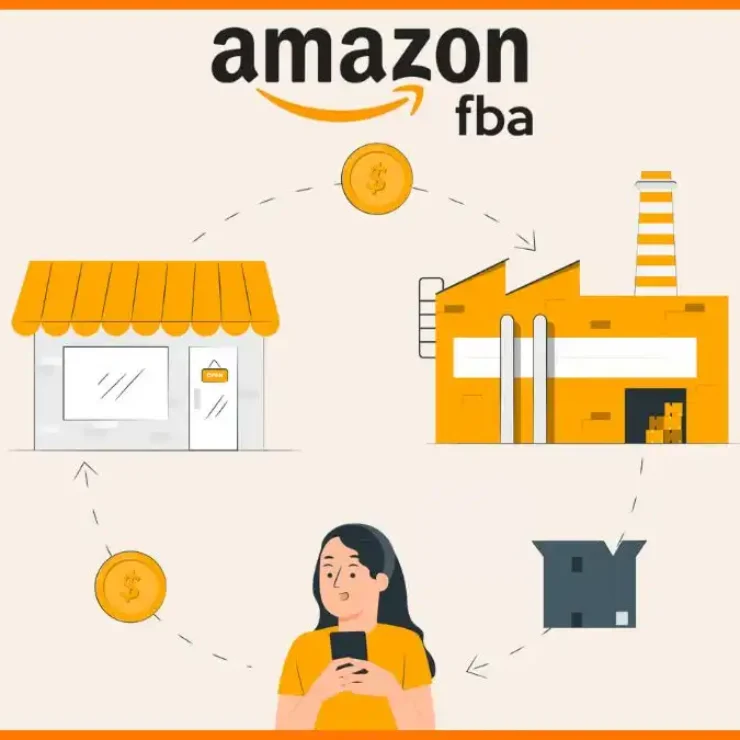


Amazon Seller Central is the web-based dashboard where third-party sellers manage every aspect of their Amazon business — listings, inventory, orders, advertising, payments, and account health.
Key facts: Individual Plan costs $0.99/item sold; Professional Plan costs $39.99/month flat (worth it above 40 monthly sales). Registration takes 1–3 days. Amazon pays sellers every 14 days. FBA sellers use Seller Central to create shipping plans; FBM sellers use it to manage their own fulfilment.
7 sections every seller must master: Catalog (listings), Inventory, Orders, Advertising, Reports, Performance (Account Health), and Payments.
The insight guides miss: Your Account Health score is a leading indicator — it affects your Buy Box eligibility and storage limits weeks before you receive a formal warning. Check it daily, not weekly.
💡 Key Takeaways
- Amazon Seller Central is a professional selling platform — not a casual marketplace. Treat your account like a business asset from day one because a suspended account can take weeks to reinstate.
- The Professional Plan at $39.99/month unlocks advertising, bulk uploads, and promotion tools — all of which are unavailable to Individual sellers.
- New Seller Incentives in 2026 include $200 in ad credits, $50 in coupon credits, and free Vine enrolment — they expire within 90 days of account opening, so use them immediately.
- Your Inventory Performance Index (IPI) score controls how much stock you can send to FBA fulfilment centres. An IPI below 400 restricts your storage capacity — and recovering it takes 4–6 weeks.
- Business Reports is the most underused section in Seller Central — specifically the Detail Page Sales and Traffic report, which shows you conversion rate at the ASIN level.
- The contrarian view: most new sellers focus on finding products before they understand their selling account metrics. Understanding your account health dashboard, fee structure, and report section first prevents the costly mistakes that sink new sellers in months 2–3.
- Managing your inventory proactively — monitoring IPI, aged stock, and reorder points — is how high-volume sellers avoid the stockout penalties that Amazon's storage and capacity limits make expensive.
📚 Table of Contents
- What Is Amazon Seller Central and How Does It Work?
- Individual vs Professional Selling Plan: Which Should You Choose?
- How Do You Set Up an Amazon Seller Central Account Step by Step?
- How Does the Seller Central Dashboard Work?
- How Do You Create and Manage Amazon Listings?
- How Does Inventory Management Work in Seller Central?
- How Do You Manage Orders in Amazon Seller Central?
- How Does Amazon Advertising Work in Seller Central?
- What Are the Most Important Reports in Seller Central?
- What Is Account Health and Why Does It Matter?
- How Does Amazon Pay Sellers?
- What Advanced Seller Central Features Do Most Sellers Miss?
- The Contrarian View: What Most Seller Central Guides Get Wrong
- Frequently Asked Questions
This Amazon Seller Central guide covers everything you need to run a profitable Amazon store in 2026 — from the initial account setup through to the advanced reporting features that most sellers never discover. I am not going to summarise Amazon's help pages. I am going to walk you through the platform the way an experienced seller would: with the nuances, the hidden settings, and the specific metrics that determine whether your account stays healthy and your listings stay visible.
The direct answer first: Amazon Seller Central is the control panel for your entire Amazon selling operation. It handles listings, inventory, orders, advertising, payments, and account health from a single web dashboard. If you are not using it actively and correctly, you are leaving money on the table and exposing your account to risks that passive sellers routinely walk into.
What Is Amazon Seller Central and How Does It Work?
Amazon Seller Central is the web-based platform at sellercentral.amazon.com where third-party sellers manage every aspect of their Amazon business. It is not the same as Amazon Vendor Central — Vendor Central is for brands that sell wholesale to Amazon directly (invite-only). Seller Central is for the 9 million+ active sellers who sell directly to Amazon customers as independent retailers.
From Seller Central, you control: product listings (creating, editing, suppressing), inventory levels (FBA and FBM), order management, customer communication, advertising campaigns, business performance reports, payment tracking, and account health monitoring. According to Statista, third-party sellers now represent over 60% of total Amazon unit sales — the entire infrastructure for that commerce runs through Seller Central.
The platform operates on two levels. At the surface level, it is a dashboard that shows you today's sales, pending orders, and current inventory. At the deeper level, it is a sophisticated business intelligence tool with conversion rate data, traffic analytics, advertising attribution, and fee calculators that most sellers never fully explore. This guide covers both. Understanding the difference between 1P and 3P selling clarifies exactly which part of the Amazon ecosystem Seller Central represents.
Individual vs Professional Selling Plan: Which Should You Choose?
Choose the Professional Plan if you plan to sell more than 40 items per month — it costs $39.99/month flat versus $0.99 per item on the Individual Plan, making Professional cheaper from item 41 onward. For new sellers who are genuinely uncertain about volume, start Individual and switch within 30 days.
| Feature | Individual Plan ($0.99/item) | Professional Plan ($39.99/mo) |
|---|---|---|
| Monthly fee | None | $39.99/month |
| Per-item fee | $0.99 per sale | None |
| Amazon Advertising | ✗ Not available | ✓ Full access |
| Promotions and coupons | ✗ Not available | ✓ Full access |
| Bulk listing uploads | ✗ Not available | ✓ Available |
| API integrations | ✗ Not available | ✓ Available |
| Buy Box eligibility | ✗ Limited | ✓ Full eligibility |
| Report access | Basic only | Full Business Reports |
| New Seller Incentives | ✗ Not eligible | ✓ $200 ad credits + more |
| Break-even sales volume | Under 40/mo | Over 40/mo |
⚠️ The critical limitation most guides skip: Individual sellers cannot run Sponsored Products, Sponsored Brands, or any Amazon advertising. They also cannot use promotions, Lightning Deals, or coupons. If your growth plan involves advertising — and it should — Individual is a dead end. Switch to Professional before you spend any time on listing optimisation, because the advertising tools that amplify your listings are locked behind the Professional Plan.
How Do You Set Up an Amazon Seller Central Account Step by Step?
Setting up an Amazon Seller Central account takes 1–3 days and requires specific documents prepared in advance. Here is the exact process for 2026, including the video verification step that catches many applicants unprepared.
What documents do you need to open a Seller Central account?
Gather these before you start — incomplete applications delay approval by days:
- Government-issued photo ID (passport or driver's licence)
- Business entity information (legal name, registered address)
- Tax identification number (SSN for individuals, EIN for businesses)
- Bank account details for payment disbursements (routing and account number)
- Credit or debit card for verification charges
- Phone number for two-factor authentication
- Recent bank or credit card statement (for address verification)
Amazon Seller Central Account Registration — Step by Step
Choose your country and business type. Start with your email address and a strong password. Enable two-factor authentication immediately — this is non-negotiable.
Select Individual ($0.99/item) or Professional ($39.99/month). If you plan to advertise or use promotions, choose Professional from the start — switching later wastes setup time.
Legal business name, address, phone number, and date of birth. Amazon verifies every detail against public records — accuracy matters.
Complete the W-9 (US sellers) or W-8BEN (non-US sellers) form. This determines your tax classification and affects how Amazon reports your earnings to the IRS.
Bank account for receiving payments every 14 days; credit card for charges when your account balance is insufficient. Both must match your business documentation exactly.
Amazon requires video identity verification for most 2026 accounts — either a live video call with an Amazon associate or a face scan upload. Have your government ID ready. This step is completed via the Amazon Seller app or a desktop browser session. Allow 30–60 minutes and ensure good lighting.
Amazon reviews your application and verifies documents. You will receive an email to complete activation. Once approved, claim your New Seller Incentives immediately — they expire in 90 days.
💡 Claim New Seller Incentives within 48 hours of account activation. In 2026, these include $200 in Sponsored Products credits, $50 in coupon credits, free Vine programme enrolment (worth $200), and FBA storage credits. These expire 90 days after account opening whether you use them or not. The $200 advertising credit alone can generate your first 50–100 clicks of traffic on a new product — use it before it disappears.
Want Your Amazon FBA Store Built and Managed for You?
Setting up Seller Central is step one. Our Amazon FBA automation service handles every operational layer — product research, listing creation, FBA shipments, advertising, and daily store management — so you generate Amazon revenue without running the store yourself.
How Does the Seller Central Dashboard Work?
The Seller Central dashboard is a real-time view of your business health — sales, orders, inventory alerts, and account notifications all on one page. Most sellers use it as a passive display. High-performing sellers use it as an active command centre, checking it every morning to catch problems before they compound.
What does each section of the Seller Central navigation do?
The main navigation runs across the top of Seller Central. Here is what each section contains and which tools matter most:
The dashboard homepage shows a sales snapshot for today, yesterday, and trailing 7/30 days. Below that, alerts appear for stranded inventory, pricing errors, account health issues, and policy changes. Never ignore the orange or red alerts. A stranded inventory alert means Amazon cannot fulfil those units — you are paying storage fees with zero sales potential until it is resolved. Understanding your FBA packaging requirements and shipment configurations prevents many of the stranded inventory issues new sellers encounter.
How Do You Create and Manage Amazon Listings in Seller Central?
You create listings in Seller Central by going to Catalog → Add a Product. If the product already exists on Amazon, you match to the existing ASIN. If it does not exist, you create a new listing from scratch. Matching to an existing ASIN is faster — building a new ASIN from scratch requires all product attributes, images, and description content.
How do you build a listing that ranks and converts?
Every Amazon listing has five components that determine both search visibility and conversion rate:
- Title (200 characters): The most important field for keyword rankings. Include your primary keyword in the first 80 characters. Amazon truncates titles in search results at approximately 115 characters on desktop. See our full Amazon SEO guide for the exact title formula that maximises both rankings and click-through rate.
- Bullet points (five points, 500 characters each): Combine features with benefits. The first bullet should lead with the most differentiating benefit. Keyword-stuff sparingly — Amazon's algorithm reads bullets but buyers read them too. Write for both.
- Description / A+ Content: Brand-registered sellers get A+ Content (formerly Enhanced Brand Content) which replaces the basic description with rich media modules. A+ Content improves conversion rates by 3–10% on average — prioritise Brand Registry if you have a private label product.
- Images (up to 9 slots): The main image must be on a pure white background with the product filling at least 85% of the frame. Additional images can show lifestyle, size context, infographic callouts, and instruction visuals. Meeting Amazon's image requirements exactly is the prerequisite for listing eligibility — rejected main images suppress your listing entirely.
- Keywords (backend search terms): Seller Central provides a backend search terms field (250 bytes maximum). Include keyword variations, synonyms, and related terms not already in your title. Do not repeat keywords from the title — Amazon indexes them separately.
📊 The ASIN number — what it is and why it matters: Every product on Amazon receives a unique ASIN (Amazon Standard Identification Number) upon listing creation. Your ASIN links your listing to all customer reviews, seller offers, and advertising campaigns on that product. Understanding what an Amazon ASIN number is and how it works is fundamental before any listing work begins — the ASIN is the permanent identifier that links everything about your product on the platform.
How Does Inventory Management Work in Amazon Seller Central?
Inventory management in Seller Central splits across two fundamentally different models: FBA (Amazon fulfils your orders from their warehouses) and FBM (you fulfil orders from your own location). The Manage Inventory page under the Inventory tab controls both — showing SKU, ASIN, available units, price, and fulfilment channel in a single list you can filter and bulk-edit.
What is FBA and how does the inventory process work?
FBA (Fulfilment by Amazon) means you ship your products to Amazon's fulfilment centres. Amazon stores them, picks them when orders arrive, packs them, ships them, and handles customer returns. Your listings automatically become Prime-eligible, which significantly increases conversion rates — Prime members purchase at higher rates and average order values than non-Prime shoppers.
The FBA inventory process in Seller Central:
- Create an inbound shipment plan in Seller Central (Inventory → Manage FBA Shipments)
- Print FNSKU labels (Amazon's barcode that ties inventory to your seller account)
- Prepare and pack products per Amazon's requirements
- Ship to the assigned Amazon fulfilment centre
- Amazon receives and checks in inventory (typically 2–7 business days)
- Products appear as "Available" in your inventory and become purchasable
What is the Inventory Performance Index and why does it matter?
The Inventory Performance Index (IPI) score is a number between 0 and 1,000 that Amazon uses to evaluate your FBA inventory management quality. An IPI score below 400 restricts how much inventory you can send to FBA fulfilment centres. This restriction is capacity-based — Amazon limits the amount of storage you can use, which directly caps your potential revenue.
The IPI score measures four factors: sell-through rate (how fast your inventory sells), excess inventory (stock that has been sitting too long relative to demand), stranded inventory (units that cannot be purchased due to listing issues), and in-stock rate (how often your fast-moving products are available). Dedicated Amazon inventory management software gives you proactive IPI monitoring — alerting you to excess inventory before Amazon's long-term storage fees apply and flagging stranded inventory before it suppresses your metrics.
How Do You Manage Orders in Amazon Seller Central?
Order management in Seller Central lives under the Orders tab. For FBA sellers, Amazon handles the entire fulfilment workflow — you only see completed orders and any returns or claims. For FBM sellers, the Orders section is operational-critical: it shows every open order with its shipping deadline, and missing that deadline affects your seller metrics directly.
What are FBM sellers' most important order management metrics?
Three metrics determine whether your FBM selling privileges stay intact:
- Order Defect Rate (ODR) — must stay below 1%: Covers A-to-z claims, negative feedback, and credit card chargebacks. One problematic order in a hundred can put you at the threshold.
- Late Shipment Rate — must stay below 4%: Orders shipped after the promised ship-by date. For FBM sellers, this means configuring realistic shipping templates and dispatching same-day or next-day as promised. Our guide on Amazon FBM covers the operational setup that keeps these metrics clean.
- Pre-Fulfilment Cancellation Rate — must stay below 2.5%: Orders you cancel before shipping because of stock availability issues. If you are cancelling orders, your inventory management is broken.
For FBA sellers, these metrics are automatically protected because Amazon fulfils on time consistently. The tradeoff is less control — you cannot add custom packaging or handwritten notes to FBA orders. For brand-conscious sellers, this is a genuine limitation of the FBA model.
Prefer Amazon Experts Managing Your Store Operations?
Our Amazon FBA automation service covers inventory planning, order management, listing optimisation, advertising setup, and daily store operations — so your Seller Central account runs profitably without requiring your constant attention.
How Does Amazon Advertising Work in Seller Central?
Amazon advertising in Seller Central (accessible under the Advertising tab) operates on a pay-per-click model — you bid on keywords or product targets, and pay only when a shopper clicks your ad. The three main ad types are Sponsored Products (individual product ads in search results), Sponsored Brands (headline banner ads — requires Brand Registry), and Sponsored Display (off-Amazon and on-Amazon retargeting).
How do you set up your first Sponsored Products campaign?
- Go to Advertising → Campaign Manager → Create Campaign
- Choose Sponsored Products
- Set daily budget — start with $10–$20/day. Never set a budget you cannot afford to spend entirely.
- Choose targeting type: Automatic (Amazon picks keywords) or Manual (you choose keywords). Start with one automatic campaign to harvest converting search terms, then build manual campaigns around what you discover.
- Set your bid: The suggested bid from Amazon is a reasonable starting point. Do not go below $0.50 — you will not win impressions at the floor.
- Select products: Add the specific ASINs you want to advertise. Start with your best-converting product, not your entire catalogue.
Understanding Amazon ACoS (Advertising Cost of Sales) is the single most important metric for evaluating your advertising performance — it tells you what percentage of your ad-attributed revenue you spent on advertising. A 30% ACoS on a product with 50% margins is profitable. A 30% ACoS on a 20% margin product is a guaranteed money loser. Set your target ACoS based on your product's margin, not industry benchmarks. Advanced advertisers use dedicated Amazon PPC software to automate bid adjustments and negative keyword management at a scale Seller Central's native tools cannot match.
What Are the Most Important Reports in Amazon Seller Central?
The most important report in Seller Central is the Detail Page Sales and Traffic report — it shows you conversion rate, sessions, and units ordered at the ASIN level, which tells you exactly which listings are converting traffic and which are wasting ad spend. Most sellers never open it. Sellers who do consistently outperform those who do not.
Which Seller Central reports should you check weekly?
| Report | Location | What It Tells You | How Often to Check |
|---|---|---|---|
| Detail Page Sales & Traffic | Reports → Business Reports → By ASIN | Sessions, conversion rate, units ordered per ASIN | Weekly |
| Sales and Traffic Summary | Reports → Business Reports → By Date | Total sessions, orders, revenue trends over time | Daily |
| Inventory Health Report | Inventory → Inventory Health | Days of supply, excess units, aged inventory risk | Weekly |
| Payments Summary | Reports → Payments | Disbursement schedule, pending balance, fee breakdown | Bi-weekly (each payment) |
| FBA Customer Returns | Reports → Fulfillment → Returns | Return rate by ASIN, return reasons | Weekly |
| Search Term Report (Advertising) | Advertising → Reports → Search Term | Which customer searches triggered your ads and converted | Weekly |
| Account Health Dashboard | Performance → Account Health | Policy violations, metric thresholds, suspension risk | Daily |
The Detail Page Sales and Traffic report deserves specific attention. A conversion rate below 10% on a product with meaningful traffic means your listing is the problem — pricing, images, or copy is not compelling enough. A conversion rate above 15% with low traffic means your Amazon PPC campaigns and organic rankings need attention. The report gives you exactly this diagnosis at the ASIN level. Learning how to boost your Amazon listings based on this data is the highest-ROI optimisation cycle available in Seller Central.
What Is Account Health in Seller Central and Why Does It Matter?
Account Health is the performance monitoring section under the Performance tab — it shows your Order Defect Rate, Late Shipment Rate, Valid Tracking Rate, and policy compliance status in real time. This is the most consequential section of Seller Central because a deteriorating Account Health score leads directly to selling privileges suspension — and suspension can take weeks to appeal, costing you sales every day your account is inactive.
What metrics does Account Health measure?
- Order Defect Rate (ODR) — target: below 1%: The percentage of orders resulting in negative feedback, A-to-z Guarantee claims, or credit card chargebacks. Even a single A-to-z claim on a low-volume account can push you over the 1% threshold.
- Late Shipment Rate — target: below 4%: Critical for FBM sellers. FBA orders are automatically on time through Amazon's fulfilment network.
- Valid Tracking Rate — target: above 95%: FBM orders must have valid tracking numbers. Sellers who ship without tracking face metric penalties.
- Invoice Defect Rate (B2B sellers) — target: below 5%: Affects sellers participating in Amazon Business where invoices are required for B2B orders.
- Policy compliance score: Shows any intellectual property complaints, product condition violations, or listing policy infractions. A single ASIN suppression from a policy violation does not directly suspend your account — but multiple violations escalate.
💡 The counterintuitive Account Health insight: Amazon's Account Health score is a leading indicator, not a lagging one — it changes before your selling privileges are affected. Most sellers check Account Health only when they receive an email warning. By then, the metric has already been declining for days or weeks. Check Account Health daily. An ODR creeping from 0.3% to 0.7% over two weeks is a manageable problem. An ODR at 1.2% on the day you receive a suspension notice is an emergency. Treat Account Health the way a pilot treats altitude gauges — you want continuous awareness, not periodic panic.
How Does Amazon Pay Sellers and What Fees Are Involved?
Amazon pays sellers every 14 days via direct bank deposit. The payment cycle runs from the 1st and 15th of each month — the exact dates visible in your Reports → Payments section. Funds are held for 14 days after order delivery to cover potential returns and claims, then released to your registered bank account.
What fees does Amazon deduct before paying sellers?
Understanding your net margin requires understanding every fee layer:
- Referral Fee: 6–45% of the sale price depending on category. Electronics average 8%, clothing averages 17%, jewellery can reach 20%+. The referral fee applies to the total sale price including shipping.
- FBA Fulfilment Fee: Per-unit fee based on size and weight. A standard-size item (under 1lb) typically costs $3.06–$3.90. An oversized item starts at $9.73 and escalates with dimensions.
- FBA Storage Fee: Charged monthly per cubic foot. Standard rate is $0.87/cubic foot (January–September) and $2.40/cubic foot (October–December — peak season surcharge). Long-term storage fees apply to inventory over 365 days old.
- Professional Plan Fee: $39.99/month subtracted from your disbursement.
- Advertising costs: Deducted daily from your balance based on clicks received.
The most common new seller mistake is calculating profitability without accounting for all fee layers simultaneously. Use Amazon's Revenue Calculator (available in Seller Central → Pricing) to model your actual net margin before pricing any product. Our guide on Amazon pricing strategy covers how to price competitively while maintaining the margin necessary for advertising spend and sustainable growth.
What Advanced Seller Central Features Do Most Sellers Miss?
Advanced Seller Central features that most sellers never discover are concentrated in three areas: the Manage Experiments tool for A/B testing, Amazon Attribution for off-Amazon traffic measurement, and the Brand Analytics section for competitive intelligence. All three are free, all three are powerful, and the vast majority of sellers never open them.
Manage Experiments — A/B Test Your Listings
Brand Registry sellers can A/B test listing elements directly in Seller Central through Manage Experiments (found under the Brands tab). You can test two versions of your main image, title, or A+ Content to see which converts better based on real customer behaviour. Amazon runs the experiment, splits traffic between variants, and declares a winner based on units ordered or conversion rate. Most listing optimisation is guesswork — Manage Experiments is the only data-driven alternative. Starting with your main image test produces the highest impact because the main image is the primary factor in whether a shopper clicks your listing at all.
Brand Analytics — Competitive Search Intelligence
Brand Analytics (under the Brands tab, available to Brand Registry sellers) shows you the most searched keywords in your category, which ASINs are winning clicks on those keywords, and your market basket — the products most frequently purchased alongside yours. This is competitive intelligence that previously required expensive third-party tools. Using Brand Analytics data to identify which keywords competitors are winning that you are not gives you a direct roadmap for listing optimisation and keyword targeting. Our guide on Amazon Brand Registry covers how to enrol and unlock these features.
Amazon Attribution — Measure Off-Amazon Traffic
Amazon Attribution lets you track which external marketing channels (Google, Facebook, email, influencer links) are driving sales on Amazon. You create tracking links for each channel and Attribution shows you clicks, detail page views, Add to Carts, and Purchases attributed to each source. For sellers investing in off-Amazon advertising, Attribution is the only way to calculate the actual ROI of that spend. Without it, you are spending money on channels you cannot measure.
The Contrarian View: What Most Amazon Seller Central Guides Get Wrong
Here is the insight that most Seller Central guides will not tell you: understanding your Seller Central dashboard does not make you a successful Amazon seller. Understanding your numbers does.
Most Seller Central tutorials focus on navigation — how to click from Inventory to Manage Listings to Edit. That knowledge takes 30 minutes to acquire. What takes months to develop is the analytical discipline of knowing which numbers to watch, what thresholds require immediate action, and how your conversion rate, traffic, ACoS, and IPI interact to determine your store's trajectory.
The sellers who build sustainable Amazon businesses are not the ones who learned Seller Central fastest. They are the ones who check their Detail Page Sales and Traffic report weekly, build their advertising strategy around their break-even ACoS, maintain their IPI above 500 as a buffer above the 400 restriction threshold, and treat Account Health as a daily metric rather than a crisis indicator.
⚠️ The counterintuitive truth about product research: Most new sellers spend 80% of their energy on product research and 20% on operational setup. The sellers who fail in months 2–3 almost always fail for operational reasons — a listing gets suppressed, Account Health degrades, a competitor targets their ASIN with incorrect variation abuse, or a price error triggers an unexpected sale at zero margin. Learn your dashboard before you learn product research. A poorly managed account cannot survive a good product. Our guide on Amazon product research is the next step — but only after your operational foundation is solid.
Frequently Asked Questions
What is Amazon Seller Central and what can you do with it?
Amazon Seller Central is the web-based dashboard at sellercentral.amazon.com where third-party sellers manage their entire Amazon business. From Seller Central, you create and edit product listings, manage FBA and FBM inventory, process orders, run advertising campaigns, track performance reports, monitor account health, and receive payments. It is the operational command centre for every seller on Amazon's marketplace — third-party sellers who use Seller Central now account for over 60% of Amazon's total unit sales.
How much does Amazon Seller Central cost?
Amazon Seller Central has two plan options. The Individual Plan charges $0.99 per item sold with no monthly fee — suitable for sellers moving fewer than 40 items per month. The Professional Plan costs $39.99 per month flat with no per-item fee — suitable for anyone selling 41+ items monthly, running advertising, or using promotions. Additional costs include referral fees (6–45% by category), FBA fulfilment fees ($3.06+ per unit), FBA storage fees ($0.87/cubic foot monthly), and any advertising spend you choose to run.
How long does it take to set up an Amazon Seller Central account?
Setting up an Amazon Seller Central account typically takes 1–3 business days from start to approval. The registration process itself takes 30–60 minutes if you have all required documents ready: government-issued ID, business information, tax identification number (SSN or EIN), bank account details, and a recent bank statement for address verification. The identity verification step (required for most 2026 accounts) involves a video call or face scan that adds 30 minutes but is done in a single session. Amazon's review of your application then takes 1–3 business days.
What is the difference between Amazon Seller Central and Vendor Central?
Amazon Seller Central is for third-party sellers who sell directly to Amazon customers and retain control over pricing and inventory. You list your products, set your prices, and Amazon takes a referral fee on each sale. Amazon Vendor Central is for brands that sell their products wholesale directly to Amazon — Amazon then sets the retail price and sells to customers. Vendor Central is invite-only and not available to most sellers. Most brands start on Seller Central and some receive Vendor Central invitations as they grow. The seller community widely debates the merits — Seller Central is the 3P path, Vendor Central is the 1P path, and most independent sellers build their business through Seller Central.
How does Amazon pay sellers through Seller Central?
Amazon pays sellers via direct bank deposit every 14 days on a rolling cycle. Funds from sales are held for 14 days after order delivery to cover potential returns and claims, then released to your registered bank account. Your current balance, pending disbursement, and payment history are all visible in Reports → Payments in Seller Central. Amazon deducts referral fees, FBA fees, advertising costs, and your Professional Plan subscription before disbursing the net amount. Payments typically clear your bank account within 3–5 business days of disbursement.
What is the most important metric to watch in Amazon Seller Central?
The two most important metrics are conversion rate (from the Detail Page Sales and Traffic report) and Account Health score (from Performance → Account Health). Conversion rate tells you whether your listing is doing its job — a rate below 10% on a product with meaningful traffic means your listing needs work, not more advertising. Account Health tells you whether your selling privileges are at risk — any metric approaching its threshold needs immediate attention. Most sellers monitor sales revenue and ignore these two leading indicators until it is too late to act on them.
Final Thoughts: Master the Dashboard, Master the Business
Amazon Seller Central is one of the most powerful commerce platforms available to independent sellers — and one of the most underused. Most sellers interact with only 30–40% of its features, leaving the reporting, testing, and competitive intelligence tools completely untouched.
The path to a profitable Amazon business runs directly through Seller Central fluency. Know your conversion rate by ASIN. Monitor your Account Health daily. Use your advertising search term reports weekly to find and negate wasted spend. Run experiments on your highest-traffic listings. Check your IPI score before it drops below 500.
If you want help with the broader Amazon strategy that sits above the Seller Central mechanics — retail arbitrage sourcing, private label development, or Amazon Marketing Services — each of those guides covers the strategic layer that Seller Central then executes. And if you want the full store managed professionally from day one, our Amazon FBA automation service handles every operational layer so you can focus on growth.
📚 More Amazon Seller Guides
Ready to Build a Profitable Amazon FBA Business in 2026?
From Seller Central setup to daily store operations — Stores Automation builds and manages your Amazon FBA business so you earn from Amazon without running every detail yourself.
Explore Amazon FBA Automation → Sign Up Now →